
01 / Scan
Scan their QR
Scan the seller’s GoTap QR, check their name, and confirm the amount.
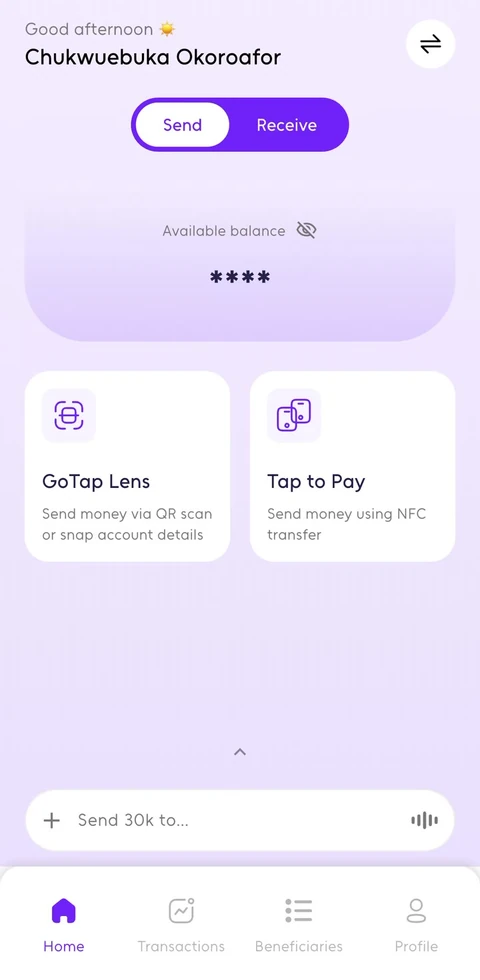
Scan a QR, snap account details, or tell Bestie, your GoTap AI companion, who you want to pay.
Available on iPhone and Android.
From your GoTap wallet to their bank account.
 First Bank
 Wema
Wema Zenith
 GTBank
 OPay
OPay Union
Union Polaris
 Access
 UBA
UBA Sterling
 Standard Chartered
 Ecobank
Meet your GoTap AI companion. Ask a question, get help with GoTap, or get a payment ready through a conversation.
Tell Bestie who you’re paying and how much. It prepares the payment for you to review.
Share a photo of account details. Bestie reads them so you can spend less time typing.
Not sure what to do? Ask Bestie to explain your next step.
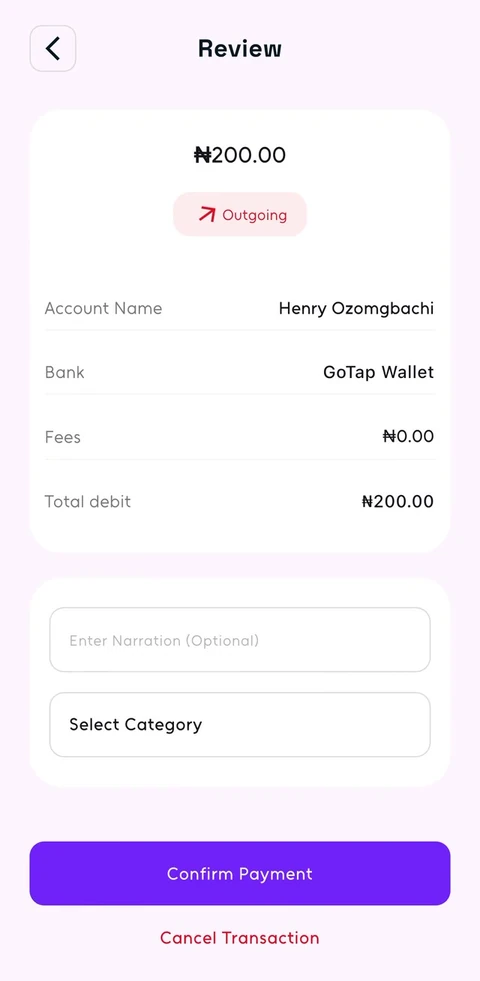
You always check the recipient, amount, and any fee before confirming a payment.
Get GoTap and meet BestieScan the seller’s GoTap QR, check their name, and confirm the amount.
Got bank details on paper or in a screenshot? Share a photo with Bestie to get the payment ready.
Tell Bestie who to pay and how much. Check the details, then confirm.
Bring two phones together to start a payment. Available on supported Android phones.

Near Payments
Find available GoTap users nearby by name and distance. Choose your seller, check the details, and confirm.
Your seller could be right here.

Nearby sellers
Check before you pay.
The seller doesn’t use GoTap? Pay into their Nigerian bank account.
Check the recipient’s name.
See what you’re paying, including any fee.
Confirm with your transaction PIN, or Face ID or fingerprint if enabled.
Keep a receipt you can open and share.
Need help? Report an issue from the payment.
Download the app on iPhone or Android.
Verify your details and set up your PINs.
Fund your wallet by bank transfer. Then scan, snap, chat, or tap to pay.
GoTap for BusinessGive customers a simple way to pay with your GoTap QR. See payments in your own account and keep track of your customers.
Explore GoTap for BusinessGoTap is the simplest way to buy from any seller, anywhere, in seconds. Pay through a QR, a photo, a conversation with Bestie, Near Payments, or phone-to-phone Tap on supported devices.
Bestie is your GoTap AI companion. It helps with GoTap questions and prepares payments from your messages or photos. You review and confirm before money moves.
No. You can pay into their Nigerian bank account. Sellers using GoTap can also receive payments through their GoTap QR, Near Payments, or Tap on supported phones.
GoTap is available on iPhone and Android. Phone-to-phone Tap requires a supported Android phone. Other payment options are available on both platforms.
Transfer money to the account details shown in your GoTap wallet. See how to add money
You’ll see any payment fee before you confirm.
Your limits depend on your verification level. Check the limits shown for your account in the app. Find your account limits
Sellers using GoTap should check their own GoTap account. Sellers receiving a bank transfer should confirm receipt in their bank account.
Check its status in your transaction history before trying again. If you need help, report the payment or contact support. Get help with an unconfirmed payment
Open Profile → Help & Support in the app, visit our Help Center, or email hello@usegotap.com.


